
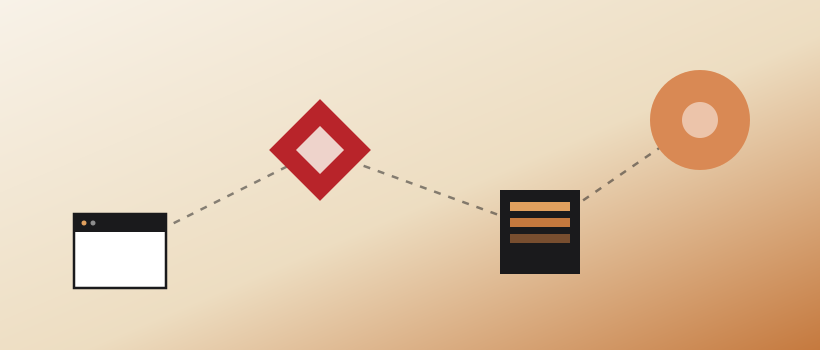
Every website visit looks instant. Someone taps a link, and your homepage is just there. But in the fraction of a second between the tap and the page, four systems quietly hand off to one another in sequence.
Knowing the relay race matters because almost every choice about a website — where to host it, why the padlock matters, why “it’s slow on my phone” happens — maps back to one of these stops.
01From an address to a real machine
When someone enters your-business.com, the browser has a name but does not yet know where that name lives. Computers reach one another by numeric addresses, so the first job is translating a friendly domain into the address of the server that holds the site.
02DNS — the web’s phone book
That translation is handled by DNS, the Domain Name System. Think of it as the internet’s address book: a browser asks for a name and DNS returns the number. Results are cached at several layers, so a healthy lookup usually happens quickly.
Key term · DNS
DNS maps human-friendly names such as your-business.com to the numeric address of the server hosting the site. Moving hosts usually means pointing those records to a new address.
03The handshake — and that little padlock
With the address in hand, the browser contacts the server. Before content moves, they establish an encrypted HTTPS connection. The padlock represents that protected channel and the certificate proving the server is authorized for the domain.
- HTTPS is the secured protocol browsers use to request pages.
- TLS protects information in transit.
- A valid certificate helps visitors know they reached the intended site.
Every avoidable delay in those first three steps is a visitor deciding whether to keep waiting.
04The browser builds the page
The server returns files and the browser assembles them into what you see. It reads HTML for structure, applies CSS for style, and runs JavaScript for behavior. A well-built page reveals useful content early instead of leaving someone staring at an empty screen.
05Why every step affects speed
Each stop adds time. Slow DNS, a distant or overloaded server, oversized images, too many scripts, or inefficient page-builder settings can stack up. Good performance comes from improving the whole path, then measuring it on real phones and ordinary connections.
06What this means for your business
You do not need to administer every layer yourself. You do need clear answers to three questions: Where is the site hosted? Is every page secure? How quickly does useful content appear on a phone? Those answers reveal whether the website is helping or quietly adding friction.